
Unlock Your Tech Website's Potential: A Developer's Guide to SEO, Security, and Performance Nirvana

TL;DR
- Struggling to get your tech website noticed? This guide empowers developers to optimize their sites for SEO, security, and performance. Learn practical strategies and leverage free AI-powered tools to achieve top rankings, bulletproof security, and blazing-fast speeds, all without needing to be an SEO expert.
Understanding the Triad: SEO, Security, and Performance Interdependence
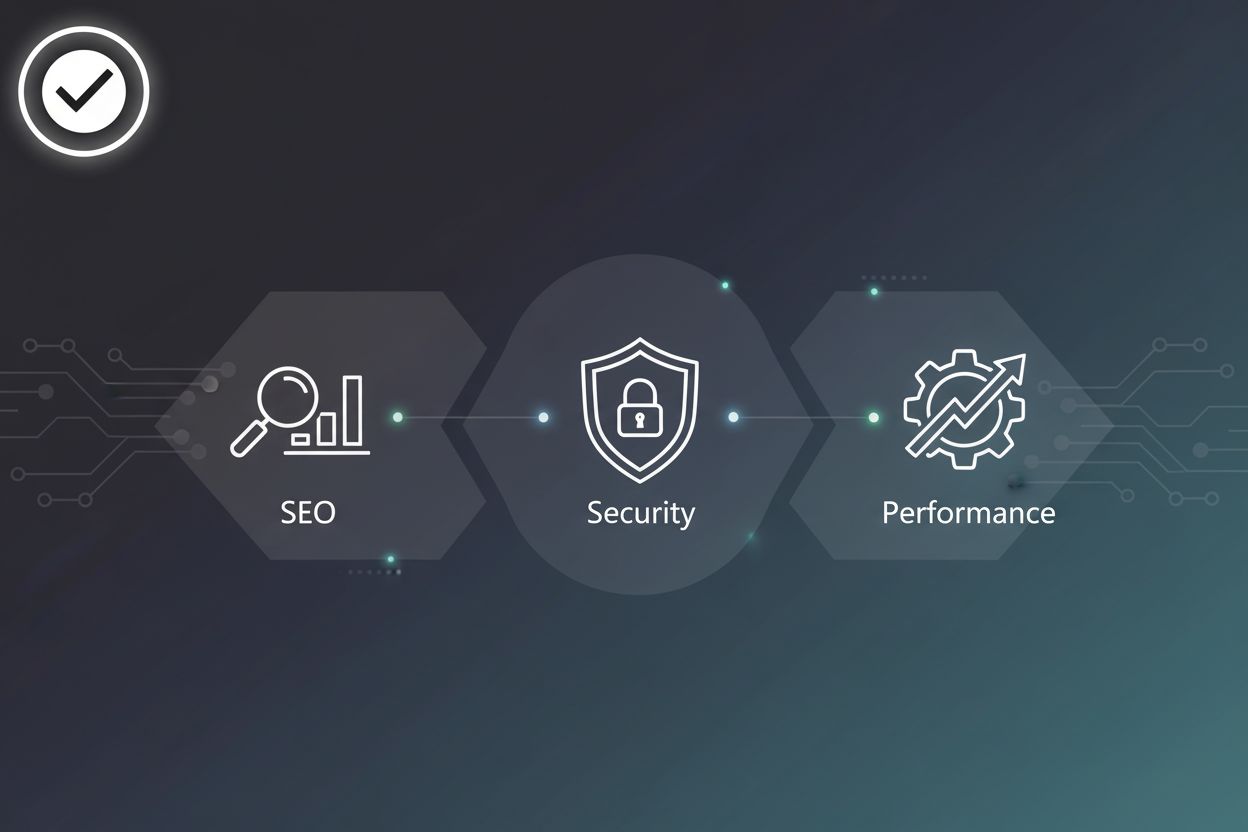
Okay, so you think seo is just about keywords, huh? Think again! It's way more intertwined with security and performance than most developers realize. It's like a three-legged stool – if one leg is weak, the whole thing falls over.
Here's the deal:
- seo isn't just about keywords anymore. It's about the entire user experience. Google's gotten smarter, and they're looking at how users interact with your site. Are they sticking around, or bouncing? Are they able to actually use your site, or is it a frustrating mess?
- Security directly impacts your seo. A hacked site is a dead site when it comes to search rankings. Google will flag your site as unsafe, and nobody's clicking on that, are they?
- Performance is king (or queen!). Slow loading times? Forget about it. Users are impatient, and Google knows it. A fast site is a happy site – and a higher-ranking site.
Remember the days of keyword stuffing? Yeah, those are long gone. Now, Google's all about user experience, or ux. I mean think about it, what's the point of ranking number one if your website sucks?
- The evolving role of user experience in seo: Google's algorithms are now heavily influenced by user behavior metrics. Things like bounce rate, dwell time (how long someone stays on your page), and pages per session all play a crucial role. If users are having a bad time on your site, Google will notice and your rankings will suffer.
- How site speed impacts search rankings: Site speed is a major ranking factor. Users expect pages to load almost instantly, and Google rewards sites that deliver. Slow loading times lead to higher bounce rates and lower engagement, which negatively impacts your seo.
- Mobile-first indexing and its implications: Google now primarily uses the mobile version of your site for indexing and ranking. This means if your mobile site isn't up to snuff, your desktop rankings will also take a hit. Google prioritizes the mobile version because most people use phones to browse. Make sure your site is responsive and provides a seamless experience on all devices.
Security and seo might seem like separate worlds, but they're actually deeply connected. A security breach can devastate your rankings and reputation. Google actively penalizes sites that are deemed unsafe, and for good reason. They do this to protect users from malware, phishing scams, and other harmful content, which directly impacts search engine trust.
- https as a ranking signal: Google has been advocating for https for years, and it's now a ranking signal. Sites with https encryption are given a slight boost in search results. It's a small factor, but every little bit helps.
- The impact of malware and security breaches on seo: If your site gets infected with malware, Google will flag it as unsafe. This will cause a sharp drop in traffic and rankings. Cleaning up a hacked site can be a long and painful process, so prevention is key.
- Protecting your site from negative seo attacks: Negative seo is when someone tries to sabotage your rankings by building bad links to your site or spreading false information about your business. Protecting your site from these attacks requires vigilance and proactive monitoring.
Performance isn't just a "nice to have" – it's a fundamental requirement for good seo. A fast, responsive site provides a better user experience, which leads to higher engagement, lower bounce rates, and improved rankings. Slow loading times lead to higher bounce rates and lower conversion rates, which are key indicators for both users and search engines.
- Core Web Vitals and their significance: core web vitals are a set of metrics that Google uses to measure user experience. These metrics include Largest Contentful Paint (lcp), First Input Delay (fid), and Cumulative Layout Shift (cls). Optimizing these vitals can significantly improve your seo.
- Optimizing for mobile performance: Mobile performance is crucial for seo. Users expect mobile sites to load quickly and be easy to use. Optimizing images, minimizing code, and using a content delivery network (cdn) can all help improve mobile performance.
- The relationship between bounce rate and page load time: Page load time has a direct impact on bounce rate. The longer it takes for a page to load, the more likely users are to leave. Reducing page load time can significantly lower your bounce rate and improve your seo.
So, yeah, seo is more than just keywords. It's about creating a secure, performant, and user-friendly website. Nail those things, and Google will love you for it. Onward to the next section, where we'll dive into specific strategies to boost your site's seo.
Actionable SEO Strategies for Tech-Savvy Teams
Alright, so you've got a tech website – cool! But is it actually working for you? Let's talk seo strategies that'll get your site noticed, because what's the point of building something awesome if nobody can find it? We'll cover technical seo, content creation, and link building to ensure your tech site gets the visibility it deserves.
Think of technical seo as the bedrock of your entire online presence. If your foundation is shaky, nothing else matters, right? It's about making sure search engines can easily crawl and understand your site.
- Optimizing your site architecture: This is all about creating a clear, logical structure for your website. Think of it like organizing your files on your computer – if everything's in random folders, you'll never find what you need. A well-organized site helps search engines (and users!) find what they're looking for quickly. For instance, a SaaS company might structure their site with clear sections for features, pricing, support, and a blog, all easily accessible from the homepage. This clear hierarchy helps search engines understand the relationships between pages and crawl the site more effectively.
- Creating a sitemap and submitting it to search engines: A sitemap is basically a roadmap of your website. It tells search engines about all the pages on your site, and how they're connected. Creating one and submitting it to Google Search Console, by navigating to the 'Sitemaps' section, is like giving Google a cheat sheet to understanding your entire website. Trust me, it helps them index your content faster and more accurately.
- Implementing structured data markup: Structured data is code that helps search engines understand the meaning of your content. Its like adding labels to everything so Google knows what it's looking at. For a recipe website, structured data could tell Google the ingredients, cooking time, and calorie count. This can lead to rich snippets in search results, making your site stand out from the competition.

Content is still king, but it's gotta be good content. No one wants to read the same old rehashed stuff. You need to create content that's valuable, engaging, and relevant to your audience.
- Developing a content strategy: A content strategy is your plan for creating and distributing content. It should outline your target audience, the topics you'll cover, and the types of content you'll create. For example, a financial services company might focus on creating blog posts, infographics, and videos about personal finance, investment strategies, and retirement planning.
- Writing high-quality, engaging content: It's not enough to just churn out articles. Your content needs to be well-written, informative, and engaging. Use clear language, break up text with headings and images, and make sure your content is easy to read. A marketing agency might write in-depth guides, case studies, and opinion pieces to showcase their expertise.
- Promoting your content through social media and other channels: Creating great content is only half the battle. You also need to promote it! Share your content on social media, email newsletters, and other relevant channels. A healthcare provider could share articles on healthy living, disease prevention, and medical breakthroughs on their social media channels.
Links from other websites are like votes of confidence. The more high-quality links you have, the more trustworthy your site appears to search engines. But don't go buying links – that's a big no-no. You need to earn them.
- Building relationships with other websites: Networking its not just for people, it's for websites too. Reach out to other websites in your industry, offer to collaborate on content, or simply share their articles on social media. Building relationships can lead to valuable link opportunities down the road.
- Creating linkable assets: What's a "linkable asset"? It's something so valuable that other websites want to link to it. This could be a comprehensive guide, a free tool, or original research. A data analytics company might publish a report on industry trends, making it a valuable resource for other websites to cite.
- Guest blogging: Writing guest posts for other websites is a great way to get your name (and your website) in front of a new audience. Just make sure to target relevant websites with a high domain authority. Domain authority is basically a score that predicts how well a website will rank on search engine result pages.
So, there you have it. A few actionable seo strategies to get you started. It ain't rocket science, but it does take effort and consistency.
Up next, we'll tackle website security. Because all the seo in the world won't help you if your site gets hacked, right?
Fortifying Your Website's Security Posture
Ever heard about a company losing millions because of a simple security flaw? It's a developer's worst nightmare, right? Let's make sure that doesn't happen to you.
- Understanding the importance of encryption: Encryption is like a digital lock for your website. It scrambles data so that only authorized parties can read it. Without it, everything from user passwords to credit card numbers is exposed to hackers. It's not just about security, though. As mentioned earlier, https encryption gives you a slight boost in search results. So, yeah, security and seo are intertwined.
- Obtaining and installing an ssl certificate: Think of an ssl certificate as a digital id that proves your website is who you say it is. You can get them from certificate authorities (cas) like Let's Encrypt or Comodo. Once you have one, you need to install it on your server. The exact steps vary depending on your hosting provider, but most offer easy-to-follow instructions.
- Configuring your server for https: After installing the ssl certificate, you need to configure your server to use https. This usually involves updating your server's configuration file (like .htaccess for apache or nginx.conf for nginx). Make sure to redirect all http traffic to https to ensure that all connections are encrypted.
Websites are under constant attack from hackers looking for vulnerabilities to exploit. It's a digital wild west out there!
- Preventing sql injection attacks: sql injection is a type of attack where hackers insert malicious sql code into your website's input fields. This can allow them to bypass security measures and access your database. To prevent sql injection attacks, always sanitize user input (which means removing or escaping special characters that could be interpreted as code) and use parameterized queries (which separate the code from the data, making it impossible for malicious code to be executed).
- Mitigating cross-site scripting (xss) vulnerabilities: xss vulnerabilities allow hackers to inject malicious javascript code into your website. This code can then be executed in the browsers of other users, allowing the hackers to steal their cookies or redirect them to malicious websites. To mitigate xss vulnerabilities, always escape user input before displaying it on your website.
- Securing your application from remote code execution (rce): rce vulnerabilities are among the most dangerous because they allow hackers to execute arbitrary code on your server. This can give them complete control over your website and its data. To secure your application from rce, always validate user input, use a web application firewall (waf), and keep your software up to date.

Think of regular security audits and penetration testing as a regular checkup for your website's security. It's like going to the doctor – you might feel fine, but they can spot potential problems before they become serious.
- The importance of proactive security measures: Waiting for a security breach to happen before taking action is like waiting for your house to burn down before buying a fire extinguisher. Proactive security measures, such as regular security audits and penetration testing, can help you identify and fix vulnerabilities before they are exploited by hackers.
- Finding qualified security professionals: Not all security professionals are created equal. When hiring someone to perform a security audit or penetration test, make sure they have the right skills and experience. Look for certifications like cissp or ceh, and ask for references.
- Developing a security incident response plan: Even with the best security measures in place, there's always a chance that your website could be hacked. That's why it's important to have a security incident response plan in place. This plan should outline the steps you'll take to contain the breach, recover your data, and prevent future attacks. A basic plan might include:
- Incident detection and analysis: How will you identify a breach?
- Containment: How will you stop the spread of the breach?
- Eradication: How will you remove the threat?
- Recovery: How will you restore affected systems?
- Post-incident activity: What lessons learned will be applied?
Fortifying your website's security posture isn't a one-time thing – it's an ongoing process. Stay vigilant, and you'll be well on your way to building a secure and successful online presence.
Next, we'll explore accessibility best practices. Because a website that's not accessible is a website that's missing out on a huge audience.
Optimizing Website Performance for Speed and Scalability
Okay, so your website's finally up and running – that's awesome! But is it zipping along at lightning speed, or is it kinda... sluggish? Because nobody, and I mean nobody, wants to wait around for a page to load these days. Let's make it FAST.
Images: they're essential for a visually appealing website, but they can also be major performance hogs. It's a delicate balance, right? You want your site to look good, but not at the expense of speed. One of the biggest culprits for slow loading times is often large or unoptimized images.
- Choosing the right image formats: This is step one, folks. JPEGs are great for photos, offering a good balance between quality and file size. PNGs are better for graphics with sharp lines and text, but they tend to be larger. And then there's webp, which is like the new kid on the block – offering superior compression and quality compared to JPEGs and PNGs. For example, an e-commerce site with tons of product images should seriously consider webp to keep those pages snappy.
- Compressing images for web use: Don't just upload your images straight from your camera! Compress them first. There are tons of free online tools that can reduce file size without significantly affecting quality. Think of it like squeezing all the air out of a bag – same amount of stuff, just smaller package. Popular free tools include TinyPNG and Compressor.io. A photography blog, for instance, can use compression to showcase high-resolution images without sacrificing load times.
- Using lazy loading techniques: Lazy loading is a game-changer. Instead of loading all the images on a page at once, it only loads the ones that are visible in the user's viewport. As they scroll down, more images load. It's like magic! For a news website with long articles and lots of images, lazy loading can make a huge difference in initial page load time.
Okay, so your code might be beautiful, elegant even -- but is it efficient? Probably not as much as it could be. Let's trim the fat.
- Removing unnecessary code: Get rid of any code you don't actually need. Comments, whitespace, unused functions – they all add to file size. It's like decluttering your closet – get rid of the stuff you don't wear! For example, a SaaS platform could remove unused javascript libraries to speed up their web application.
- Combining multiple files into a single file: Every time a browser requests a file, it adds overhead. Combining multiple css or javascript files into a single file reduces the number of requests, which speeds things up. Think of it like packing all your groceries into one bag instead of carrying a bunch of separate ones. A marketing agency might bundle all their css files into one to improve website performance.
- Using a content delivery network (cdn): A cdn is a network of servers located around the world that store copies of your website's static assets (images, css, javascript, etc). When a user visits your site, the cdn serves the content from the server closest to them, which reduces latency. It's like having a local copy of your website available everywhere. For a global e-learning platform, a cdn ensures fast loading times for students all over the world.
Caching is like having a cheat sheet for your website. Instead of doing the same work over and over again, you can store the results and reuse them. Smart, right?
- Implementing browser caching: Browser caching tells the user's browser to store static assets locally. So, the next time they visit your site, the browser can load those assets from its own cache instead of downloading them again. It's like remembering the answer to a question instead of having to look it up every time. Retailers can use browser caching to speed up repeat visits from customers, improving conversion rates.
- Using server-side caching: Server-side caching stores the results of database queries or other expensive operations on the server. So, the next time someone requests the same data, the server can serve it from the cache instead of having to re-run the query. It's like having a pre-calculated answer ready to go. Financial institutions can leverage server-side caching to deliver real-time stock quotes without overloading their database.
- Leveraging a cdn for static assets: As mentioned earlier, cdns can significantly improve website performance by serving static assets from servers located around the world. But cdns also offer caching capabilities. They can cache your website's static assets and serve them to users much faster than your origin server could. It's like having a super-fast, globally distributed cache.

So, what's the big takeaway here? Optimizing website performance is an ongoing process, not a one-time fix. But by focusing on image optimization, code optimization, and caching strategies, you can dramatically improve your site's speed and scalability. And trust me, your users (and Google) will thank you for it. Now, go make your website fly!
Leveraging AI-Powered Tools for Comprehensive Website Analysis
Did you know that nearly 70% of online experiences begin with a search engine? Makes you think twice about your website's seo, huh? Let's dive into how ai-powered tools can seriously level up your game.
Okay, so you think you know your website's seo, but are you really sure? ai can dig deeper than any human, spotting issues you'd probably miss.
- Performing a comprehensive seo audit: Forget manually checking every page. ai tools can crawl your entire site, flagging broken links, missing meta descriptions, and other on-page issues in minutes. Think of it as a super-powered spellchecker for your website's visibility.
- Identifying keyword opportunities: Keywords are still important, but it's not just about stuffing them in anymore. ai can analyze search trends and competitor strategies to find untapped keyword goldmines relevant to your specific niche. Imagine finding a whole new audience just waiting to discover your site. It does this by analyzing vast datasets and identifying patterns.
- Analyzing backlink profiles: Backlinks are like votes of confidence from other websites. ai can analyze your backlink profile (and your competitors') to identify toxic links, uncover new link opportunities, and ensure your site has a healthy backlink ecosystem.
- Free AI-Powered SEO Analysis: Speaking of seo analysis, don't forget to check out pingutil.com. It provides completely free ai-powered tools for website seo analysis and optimization. Get instant, professional-grade insights without registration. Seriously, give it a shot.
Security vulnerabilities are like unlocked doors for hackers, and they can tank your seo faster than you can say "data breach". ai to the rescue!
- Identifying common security threats: ai-powered scanners can automatically detect common vulnerabilities like sql injection, cross-site scripting (xss), and other nasty exploits. It's like having a 24/7 security guard watching over your website.
- Using vulnerability scanners to detect weaknesses: These scanners go beyond simple checks, actively probing your website for weaknesses in your code, configurations, and infrastructure. Early detection is key to preventing breaches and keeping your site safe.
- Implementing security best practices: ai can even help you implement security best practices by suggesting specific configurations, code changes, and security policies based on your website's unique needs. Think of it as having a virtual security consultant guiding you every step of the way.
Slow loading times are a death sentence for seo. Users bounce, Google penalizes you, and your traffic disappears. ai can help you speed things up!
- Analyzing page load times: ai can pinpoint exactly why your pages are loading slowly, whether it's oversized images, unoptimized code, or server bottlenecks. It's like having a performance engineer diagnose your website in real-time.
- Identifying performance bottlenecks: These tools can identify the specific elements on your pages that are causing the biggest performance hits, allowing you to focus your optimization efforts where they'll have the most impact.
- Optimizing images and code: ai can automatically compress images, minify code, and apply other optimization techniques to improve your website's speed and performance without sacrificing quality. It's like giving your website a turbo boost!
ai isn't just a buzzword – it's a game-changer for website analysis. By automating tasks, identifying hidden issues, and providing actionable insights, these tools can help you unlock your website's full potential.
Next up, we'll explore specific strategies to boost your site's seo.